Basecamp Resorts
Everwild Spa
Grizzly Ridge
Pine & Peaks
Revy Suites
Timber Peaks
Wildwood Spa
BCR – How to edit Groups
How to Edit Groups
Awards are managed under Groups in the WordPress dashboard and use ACF (Advanced Custom Fields) for content control.
Step 1: Log In to WordPress
Go to the WordPress Dashboard
Visit: https://basecampresorts.com/wp-admin
Enter your login credentials
Step 2: Open Groups (Awards)
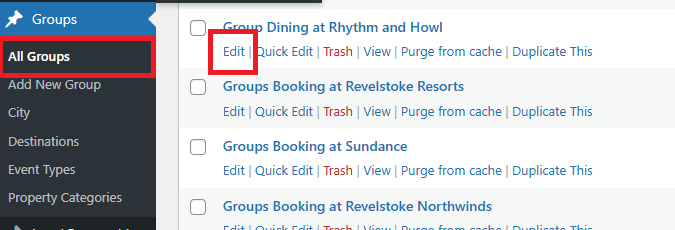
In the left sidebar, click Groups
Click All Groups
Look for the Group (Award) you want to edit
Click Edit
Step 3: Edit ACF Fields
Scroll down to the ACF section and update the following fields as needed:
Images – Upload or update award-related images
Group Title – Main title of the award/group
Sub Heading – Supporting headline text
Description – Main descriptive content
Property Title – Title related to the property section
Property Description – Description of the property
Packages – Associated package information
PDFs – Upload or update downloadable PDF files
Step 4: Assign Categories
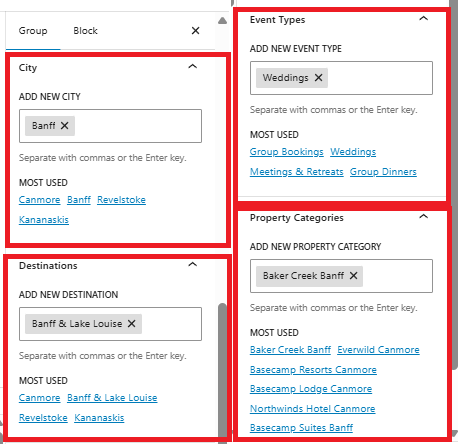
On the right-hand side of the editor, assign the appropriate categories:
City Category
Destinations Category
Event Types
Property Categories
These categories determine where the award/group appears across the website.
Step 5: Save Your Changes
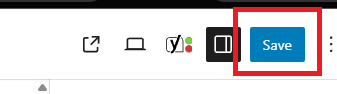
Click Update
Wait for confirmation that the page has been updated
Step 6: Review Changes
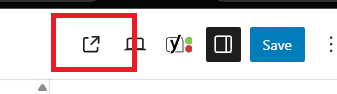
Visit the relevant page on the website to confirm:
Content displays correctly
Images appear properly
PDFs download correctly
Categories are functioning as expected
Important Notes
Only edit fields you recognize
Ensure PDFs are final versions before uploading
Categories control visibility across the site
Changes go live immediately after clicking Update