Basecamp Resorts
Everwild Spa
Grizzly Ridge
Pine & Peaks
Revy Suites
Timber Peaks
Wildwood Spa
BCR – How to edit Property Contact Page
How to Edit Contact page in WordPress
1. Log in to your WordPress dashboard.
2. In the left sidebar, click Contact→ All Contact.
3. Find the property you want to edit and click Edit.

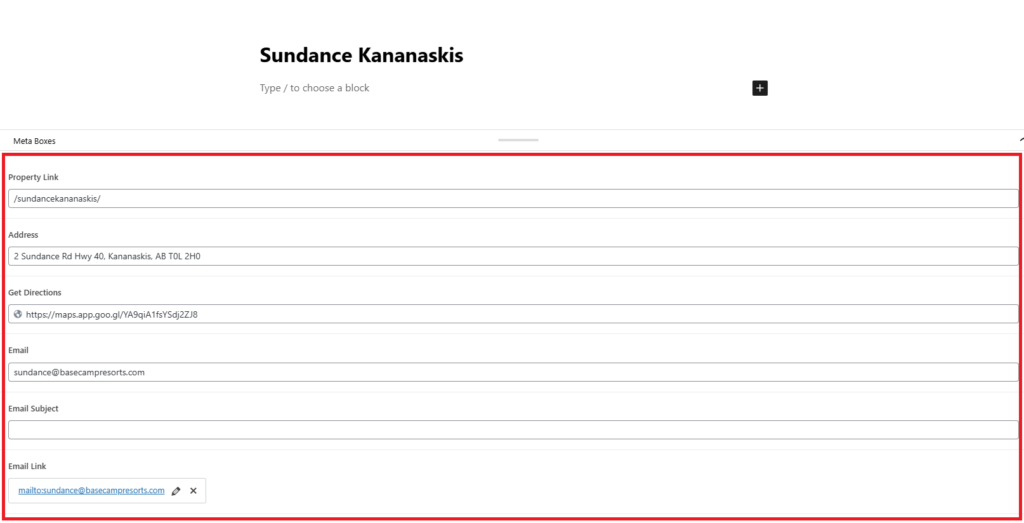
4. Scroll down below the page editor.
You will see a section containing ACF fields used to control the Contact page content.
5. Assign Property Categories
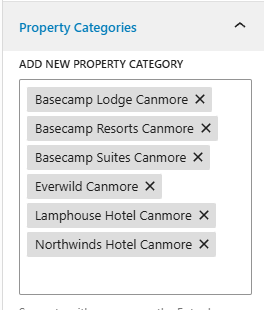
On the right-hand side of the editor:
Locate Property Categories
Check the property or properties where this amenity applies
These categories control where the amenity appears across the site.
6. Once done, click Update to save your changes.